
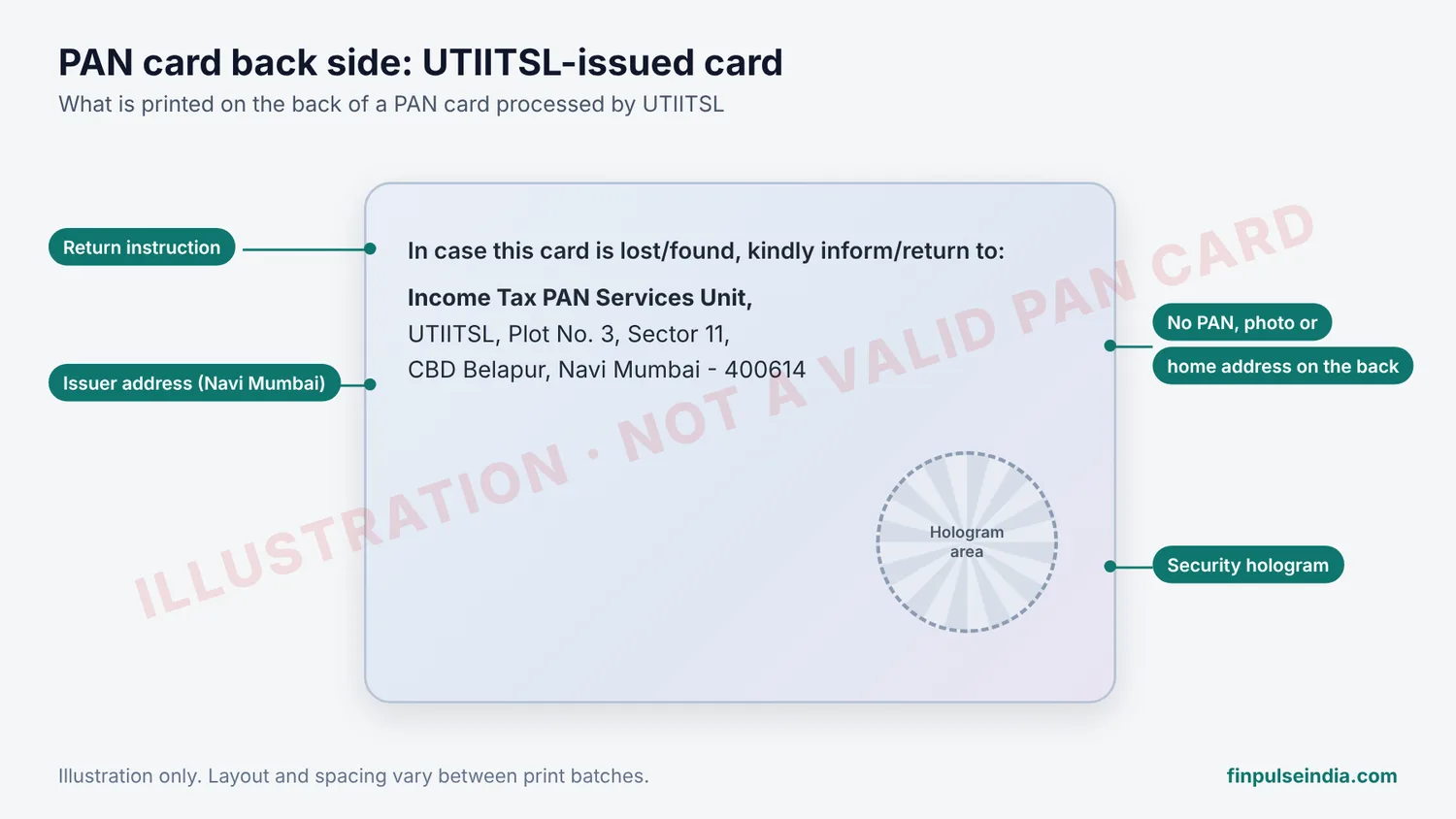
The back side of a PAN card shows the address of the agency that issued it, a short lost-card return instruction and, on most designs, a security hologram. It does not show your PAN, your photo or your home address. Cards issued through UTIITSL carry a Navi Mumbai address. Cards issued through Protean (formerly NSDL) carry a Pune address.
What Is Printed on the PAN Card Back Side?
A physical PAN card back side carries three things:
| Element | What it says | Purpose |
|---|---|---|
| Return instruction | “In case this card is lost/found, kindly inform/return to:” | Tells a finder where to send the card |
| Issuer address | The Income Tax PAN Services Unit address of UTIITSL or Protean | Identifies which agency processed your card |
| Security hologram | Printed on most current designs | Makes the card harder to copy |
The address belongs to the issuing agency, not to you. A PAN card is not proof of your residential address, whatever is printed on the back.
UTIITSL Address on the PAN Card Back Side
Cards processed by UTIITSL print: Income Tax PAN Services Unit, UTIITSL, Plot No. 3, Sector 11, CBD Belapur, Navi Mumbai – 400614. This matches the UTIITSL western region office listed on the official UTIITSL PAN portal (pan.utiitsl.com). UTIITSL customer care is on 033-40802999, 9 AM to 8 PM, all days.
Protean (NSDL) Address on the PAN Card Back Side
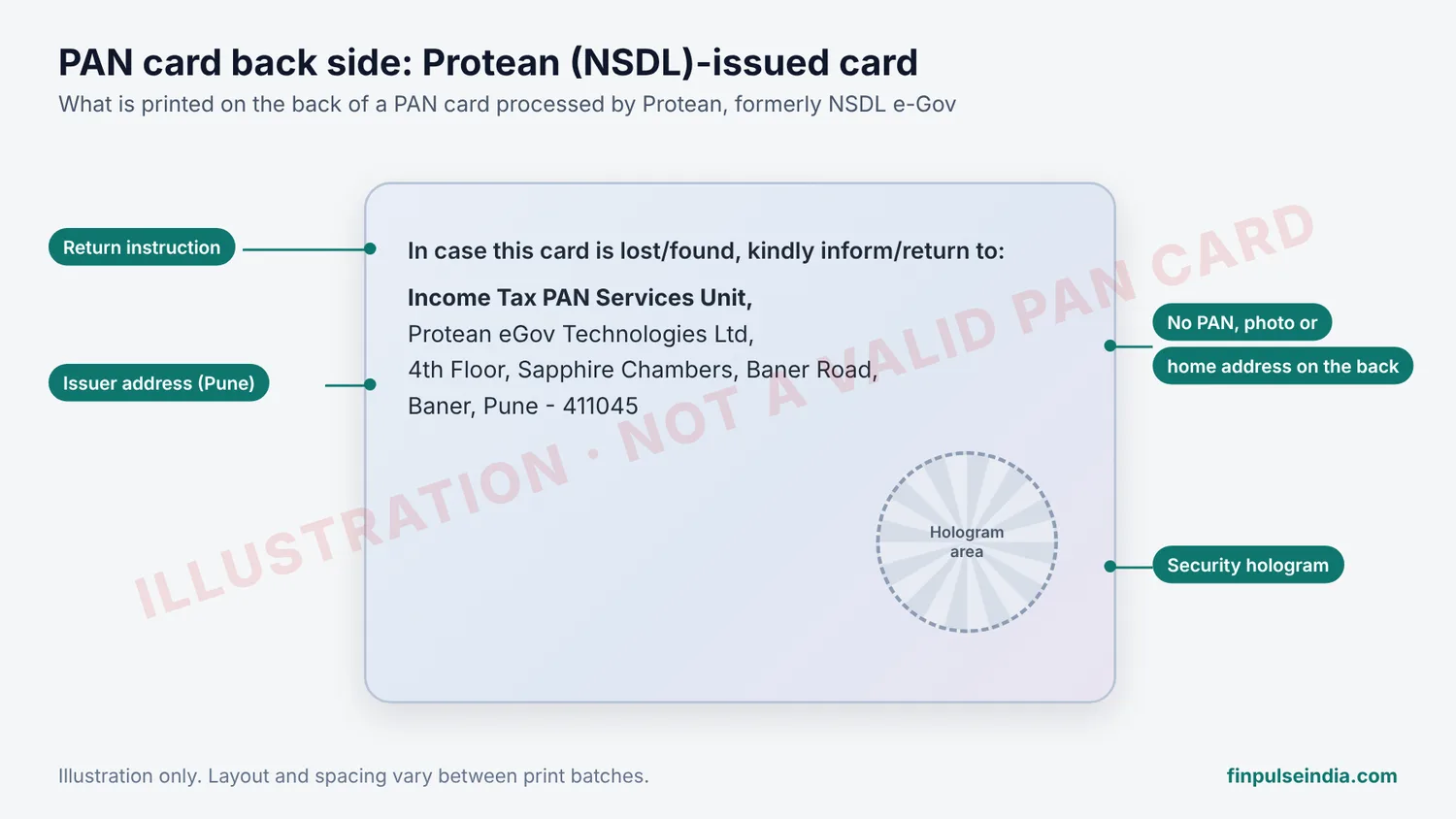
Cards processed by Protean eGov Technologies, the company earlier known as NSDL e-Gov, show a Pune address. The Income Tax Department currently lists Protean’s PAN contact as 4th Floor, Sapphire Chambers, Baner Road, Baner, Pune – 411045, phone 080-69708080, email tininfo@proteantech.in. Older cards printed under the NSDL name can show an earlier NSDL Pune address. Both are genuine.
UTIITSL vs Protean PAN Card Back Side
| Feature | UTIITSL card | Protean (NSDL) card |
|---|---|---|
| City on the back | Navi Mumbai (CBD Belapur) | Pune |
| Agency name printed | UTIITSL | NSDL (older) or Protean (newer) |
| Return instruction | Yes | Yes |
| Where to go for a reprint | pan.utiitsl.com | onlineservices.proteantech.in |
The address on the back is the quickest way to find which agency handled your PAN. Use the same agency for a reprint or correction, so you pick the right application route. Our UTI PAN guide and TIN PAN card guide cover each route.
Old PAN Card Back Side vs New PAN Card Back Side
PAN card designs have changed several times. The main differences:
| Feature | Older card | Newer card |
|---|---|---|
| Hologram | On the front on some early designs | Usually on the back |
| QR code | Absent | Printed on the front |
| Agency name | NSDL or UTIITSL | Protean or UTIITSL |
| Valid today? | Yes, if the details are correct | Yes |
An old design is still a valid PAN card. Your PAN number does not change when the card design changes, so a newer design is not a reason to replace your card.
PAN Card Front vs Back: Layout Comparison
| Side | What it shows |
|---|---|
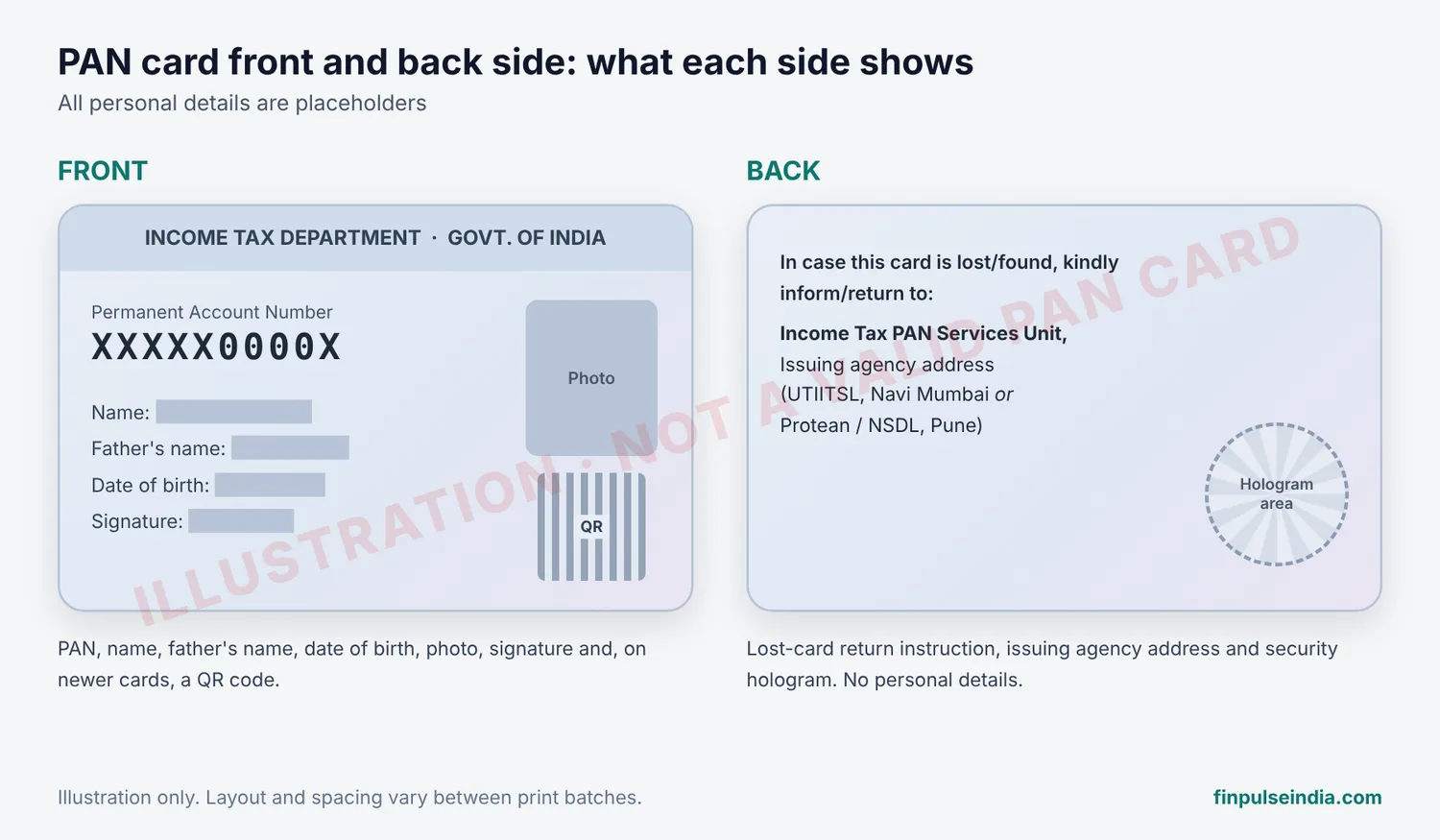
| Front | “Income Tax Department” and “Govt. of India”, the national emblem, the 10-character PAN, name, father’s name (individuals), date of birth or incorporation, photo, signature, and a QR code on newer cards |
| Back | Issuer address, lost-card return instruction, security hologram |
Cards for companies, firms and trusts have no photo or signature on the front. Their back side follows the same layout as an individual’s card.
Does the PAN Card Back Side Have a QR Code?
No. On current PAN cards the QR code is printed on the front, next to the photo. The back side has only the issuer details and the hologram. If you need to verify a card through its QR code, scan the front.
Is the PAN Card Back Side the Same for Everyone?
No. Two genuine cards can look different on the back because of:
- Issuing agency: UTIITSL (Navi Mumbai) or Protean/NSDL (Pune)
- Year of issue: older NSDL-branded cards vs newer Protean-branded cards
- Print batch: small differences in hologram position and text spacing
A different-looking back side does not mean the card is fake.
How to Check If a PAN Card Is Genuine
The back side alone cannot prove a PAN is valid. Check these instead:
- Use Verify Your PAN on the Income Tax e-Filing portal (eportal.incometax.gov.in). Enter the PAN, name, date of birth and mobile number. Our PAN verification guide has the steps.
- Scan the QR code on the front of a newer card.
- Check that the issuer address on the back matches UTIITSL or Protean.
- Look for blurred printing, pasted labels or scratched text. Any of these needs a closer check.
When to Reprint Your PAN Card
Apply for a reprint if your card is lost, damaged, faded or has wrong details. A different design alone is not a reason.
From 1 April 2026, new PAN application and change request forms under the Income-tax Act, 2025 and the Income-tax Rules, 2026 replace the old Form 49A, Form 49AA and the old change request form. UTIITSL stopped accepting the old forms after 31 March 2026. See PAN card new rules 2026, the PAN card reprint guide and current PAN card charges before you apply.
Does an e-PAN Have a Back Side?
No. An e-PAN is a digitally signed PDF from the Income Tax Department, so there is no front or back. It shows your PAN details and a QR code on a single page. You can download your e-PAN free from the e-Filing portal, Protean or UTIITSL.
What Experts Say
Tax practitioners who handle PAN corrections say the back-side address is the most overlooked detail on the card. Clients often apply for a reprint through the wrong agency and lose time on a rejected request. Practitioners also say that most “is my PAN card fake?” worries come from comparing the card with a random image online. Two genuine cards from UTIITSL and Protean simply look different. Online verification on the e-Filing portal settles the question.
PAN Card Back Side FAQs
What is written on the back of a PAN card?
A lost-card return instruction (“In case this card is lost/found, kindly inform/return to:”) followed by the Income Tax PAN Services Unit address of UTIITSL (Navi Mumbai) or Protean/NSDL (Pune). Most current cards also have a security hologram.
Is my address printed on the back of my PAN card?
No. The address on the back belongs to the agency that issued the card, UTIITSL or Protean. Your residential address appears nowhere on a PAN card.
Why does my PAN card show a Pune address?
Your card was processed by Protean eGov Technologies, earlier NSDL e-Gov, which is based in Pune. A Navi Mumbai address means UTIITSL processed it.
Do I need the back side of a PAN card for KYC?
Usually not. Banks, brokers and employers ask for the front side because it carries the PAN, name, date of birth and photo. Send the back only if the form specifically asks for both sides. For upload limits, see our PAN card photo and signature size guide.
Is it safe to share a photo of the PAN card back side?
The back has no personal data, so it carries less risk than the front. Still, share card images only with the organisation that asked for them, and never post the front unmasked on social media.
Related guides: PAN number format explained | What is a Permanent Account Number | Forgot PAN number | PAN card customer care number | Smt meaning in PAN card